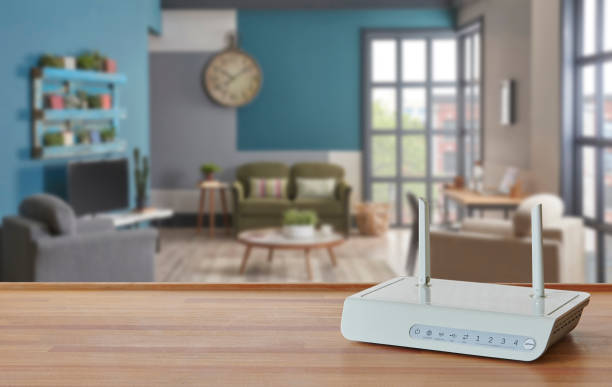
How to Create a Smarter, Faster Home Network
A fast, secure, and reliable home network is no longer a luxury—it’s a necessity. From remote work and online learning to streaming entertainment and smart home automation, our daily lives depend heavily on consistent internet connectivity. Yet, many households struggle with lagging Wi-Fi, buffering videos, or unreliable connections. The good news is that building a smarter and faster home network doesn’t require a complete technical overhaul. With the right strategy and equipment, you can optimize performance, strengthen security, and future-proof your setup for years to come.
1. Assess Your Current Network
Before making any upgrades, it’s important to understand what you’re working with. Start by conducting a speed test using a reliable platform such as Ookla or Fast.com. This will help you determine if you’re getting the bandwidth you pay for from your internet service provider (ISP).
Next, identify potential weak spots in your network. Are there rooms where Wi-Fi drops out or becomes sluggish? Do you experience buffering when multiple devices are connected? These insights will help you pinpoint whether your router placement, outdated hardware, or insufficient bandwidth is the culprit.
2. Upgrade Your Router
Your router is the heart of your home network. If it’s more than three to five years old, it’s likely time for an upgrade. Modern routers offer faster speeds, stronger security protocols, and greater device-handling capacity.
When choosing a new router, look for the following key features:
- Wi-Fi 6 (802.11ax) technology for higher efficiency and faster speeds.
- MU-MIMO (Multi-User, Multiple-Input, Multiple-Output) to handle multiple devices simultaneously without lag.
- Dual or tri-band connectivity to balance network traffic across different frequency bands.
- Beamforming to focus signal strength directly toward connected devices rather than broadcasting in all directions.
Additionally, consider mesh Wi-Fi systems if your home is large or has multiple floors. These systems use several access points to blanket your entire home with strong, consistent Wi-Fi coverage.
3. Optimize Router Placement
Even the best router can underperform if it’s poorly placed. Many people make the mistake of hiding routers in cabinets or corners, but this can significantly weaken the signal.
For optimal performance:
- Position your router centrally in your home, elevated off the floor, and away from walls or metal objects.
- Avoid placing it near microwaves, cordless phones, or Bluetooth devices that can cause interference.
- If you have a mesh network, space the nodes evenly and within range of each other for seamless connectivity.
Small adjustments in router placement can lead to dramatic improvements in speed and coverage.
4. Secure Your Network
Speed is important, but security is equally critical. A poorly protected network can expose your personal data to cyber threats. Strengthen your home network with these essential steps:
- Change default usernames and passwords immediately after setting up your router.
- Use WPA3 encryption, the latest and most secure Wi-Fi standard.
- Regularly update firmware to patch vulnerabilities and improve performance.
- Enable network segmentation, creating separate connections for smart devices and personal devices.
- Consider enabling automatic threat detection features if your router supports them.
These measures help ensure that your home network remains both fast and safe from unauthorized access.
5. Manage Bandwidth and Device Prioritization
With dozens of devices competing for bandwidth—laptops, smartphones, smart TVs, security cameras, and voice assistants—it’s easy for your network to become congested. Modern routers often include Quality of Service (QoS) settings, which allow you to prioritize certain devices or applications.
For example, you can assign higher priority to a work laptop for video conferencing while limiting bandwidth for background downloads. Similarly, if you’re streaming a movie, your router can temporarily allocate more resources to your TV to prevent buffering.
By managing network traffic intelligently, you’ll enjoy smoother performance across all connected devices.
6. Use Wired Connections Where Possible
While Wi-Fi is convenient, wired Ethernet connections are still faster and more reliable. Devices that remain stationary—like gaming consoles, desktop computers, and smart TVs—benefit significantly from being hardwired.
Ethernet cables reduce latency, eliminate interference, and free up wireless bandwidth for mobile devices. If running cables is impractical, consider using powerline adapters, which transmit data through your home’s electrical wiring. These can extend your network without the need for complex installations.
7. Extend Coverage with Mesh or Range Extenders
If you have dead zones where Wi-Fi barely reaches, a mesh system or range extender can solve the problem.
- Mesh Wi-Fi systems provide seamless coverage with multiple interconnected nodes. As you move around the house, your devices automatically connect to the strongest signal.
- Range extenders are more affordable and ideal for smaller coverage gaps. However, they may slightly reduce overall speed.
Choose the right solution based on your home’s size, layout, and number of connected devices.
8. Monitor and Maintain Network Health
Creating a smarter network is not a one-time task—it requires ongoing monitoring and maintenance. Many modern networking tools provide apps or dashboards where you can track connected devices, data usage, and security alerts in real time.
Solutions like xFi Complete from Xfinity, for instance, combine advanced Wi-Fi management, whole-home coverage, and proactive security tools to ensure your network performs at its best. Having such an integrated system makes it easier to identify problems, optimize speed, and maintain strong protection against cyber threats.
Regularly checking your network health ensures consistent performance and minimizes downtime.
9. Plan for the Future
Technology evolves rapidly, and so do connectivity demands. The rise of smart homes, Internet of Things (IoT) devices, and high-resolution streaming means that your network must be ready to handle increasing data loads.
When upgrading, think long-term:
- Invest in routers that support Wi-Fi 6E or future-proof technologies.
- Ensure your internet plan provides adequate upload and download speeds for your household’s needs.
- Keep track of emerging technologies like Wi-Fi 7, which promises even greater speed and efficiency.
By planning ahead, you’ll avoid the frustration and expense of frequent network overhauls.
Conclusion
A smarter, faster home network starts with understanding your current setup and making thoughtful upgrades that balance speed, coverage, and security. From selecting a modern router to optimizing placement and managing bandwidth, every step plays a vital role in improving overall performance.
With the right approach, you can create a network that not only supports your present digital lifestyle but also adapts seamlessly to future demands. Whether you’re working remotely, streaming ultra-high-definition content, or managing smart home devices, a well-designed network ensures you stay connected—efficiently and securely.